
Export data from millions unique profiles.
Integrate your data with multiple data sources, analyze your selection and export data to various formats. Use our simple & powerful tool.
- Integrate your data
- Multiple data sources
- Analyze your selection
- Export to various formats
From the whole database to a single export
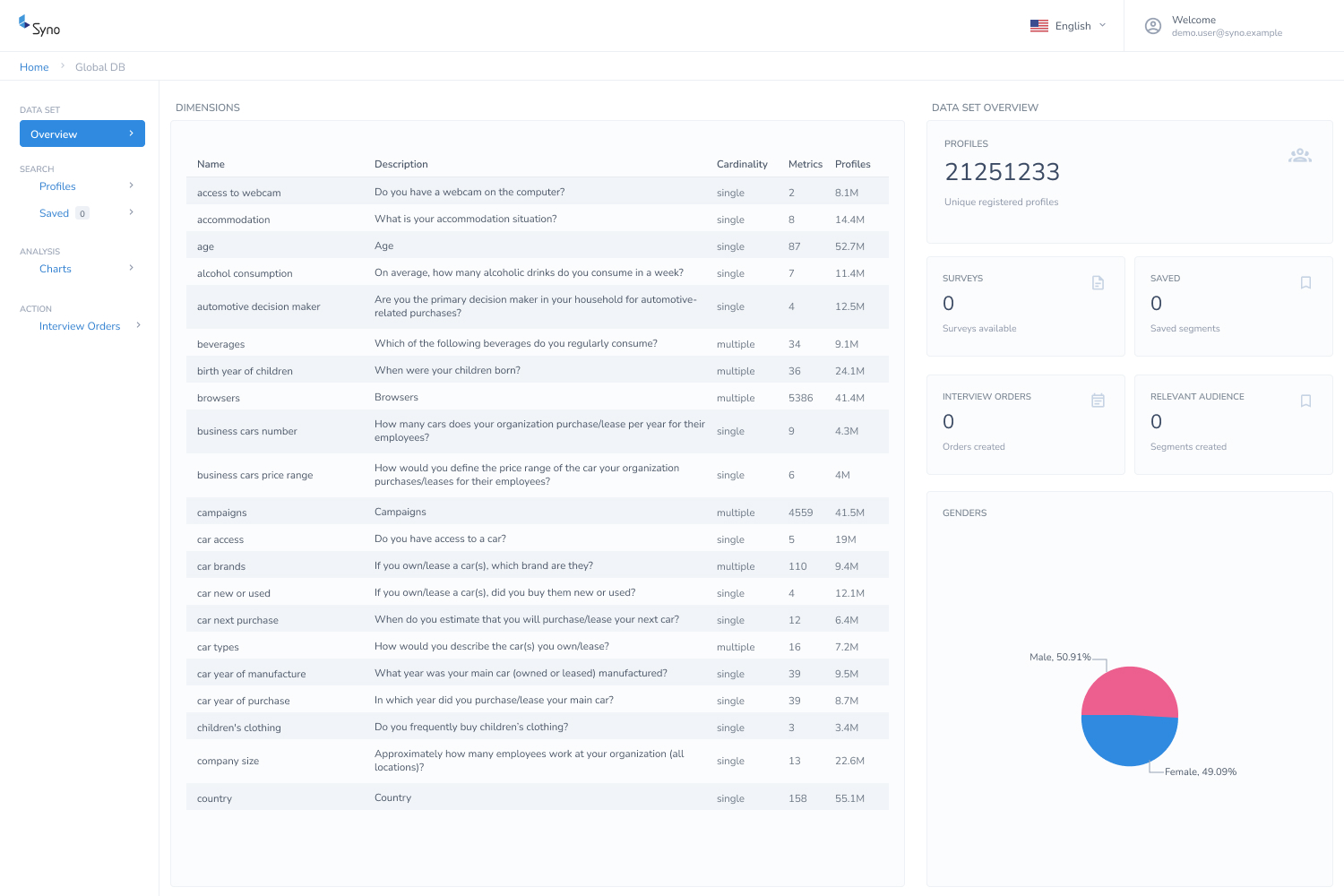
Every dimension in one place
Open a data set and see what you can actually work with — every dimension, what it asks, how many metrics it holds and how many profiles answered it.
- Millions of unique registered profiles
- Hundreds of dimensions, thousands of metrics
- Profile counts before you commit to a selection
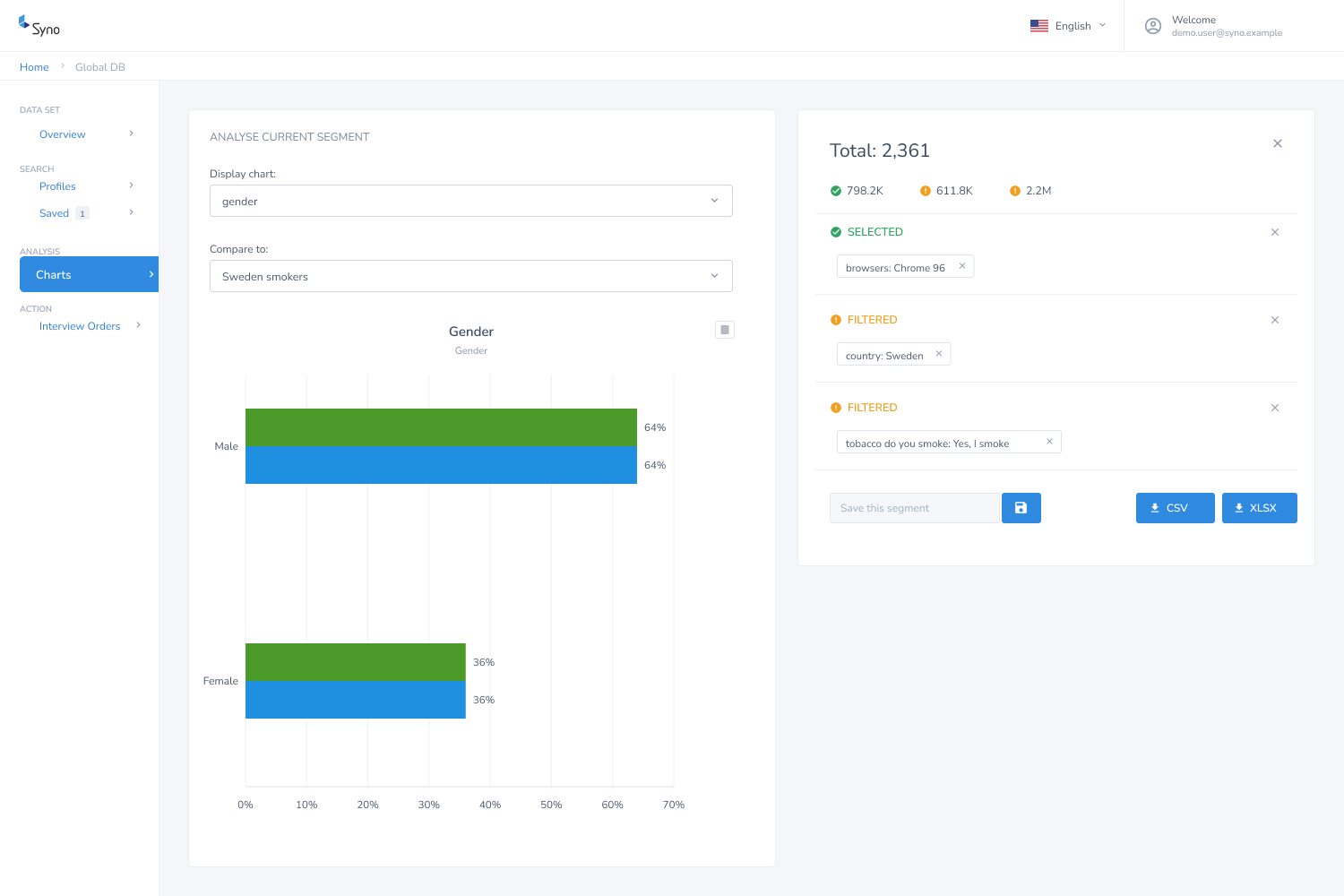
Filter, compare, then export
Narrow the database down to the segment you care about, chart it against another selection, save it for later and take it out as CSV or XLSX.
- Analyze your selection with charts
- Compare distributions in different selections
- Save selected dimensions to re-use them later
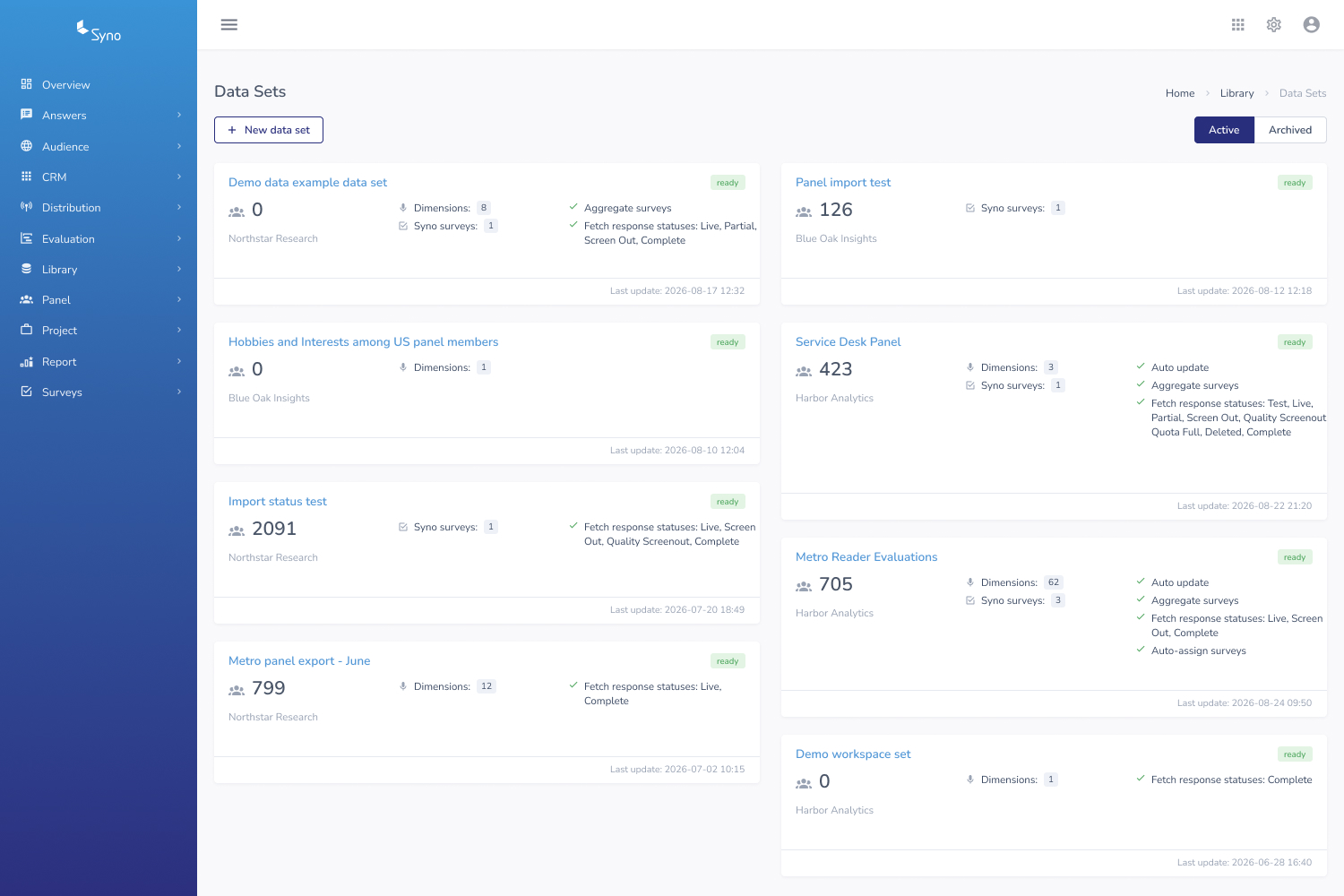
Build the data sets themselves
In Syno Cloud you set up the data sets that Library reads — which surveys feed them, which response statuses count and whether they keep updating on their own.
- Aggregate surveys into one data set
- Auto update and auto-assign surveys
- Choose which response statuses to fetch
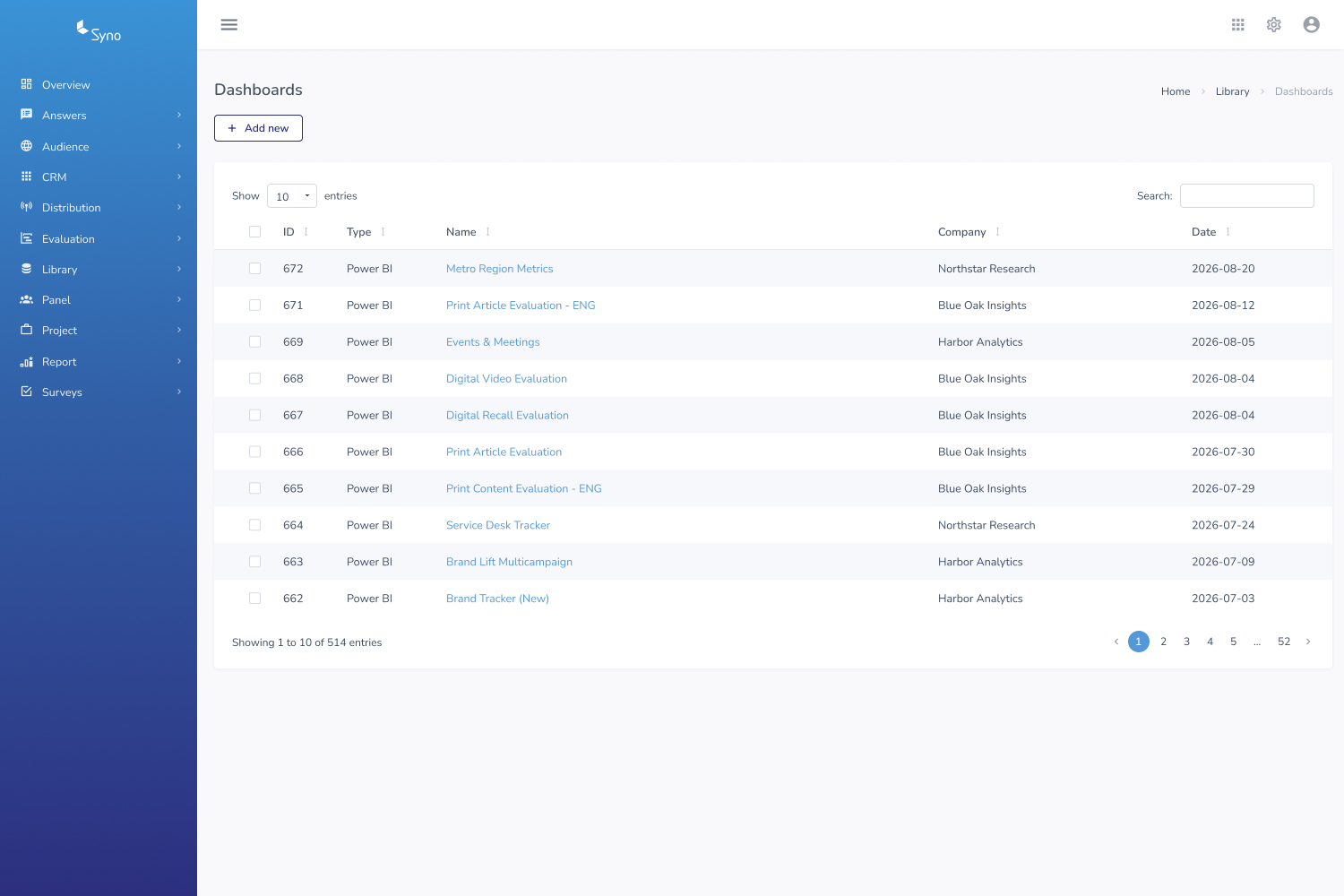
Dashboards for everyone else
Connect the data to a BI dashboard and share the result, so the people reading the numbers don't need to build a selection first.
- Export to third-party systems such as Power BI
- One list of every dashboard you run
- Searchable, sortable and per company
The identities that join it up
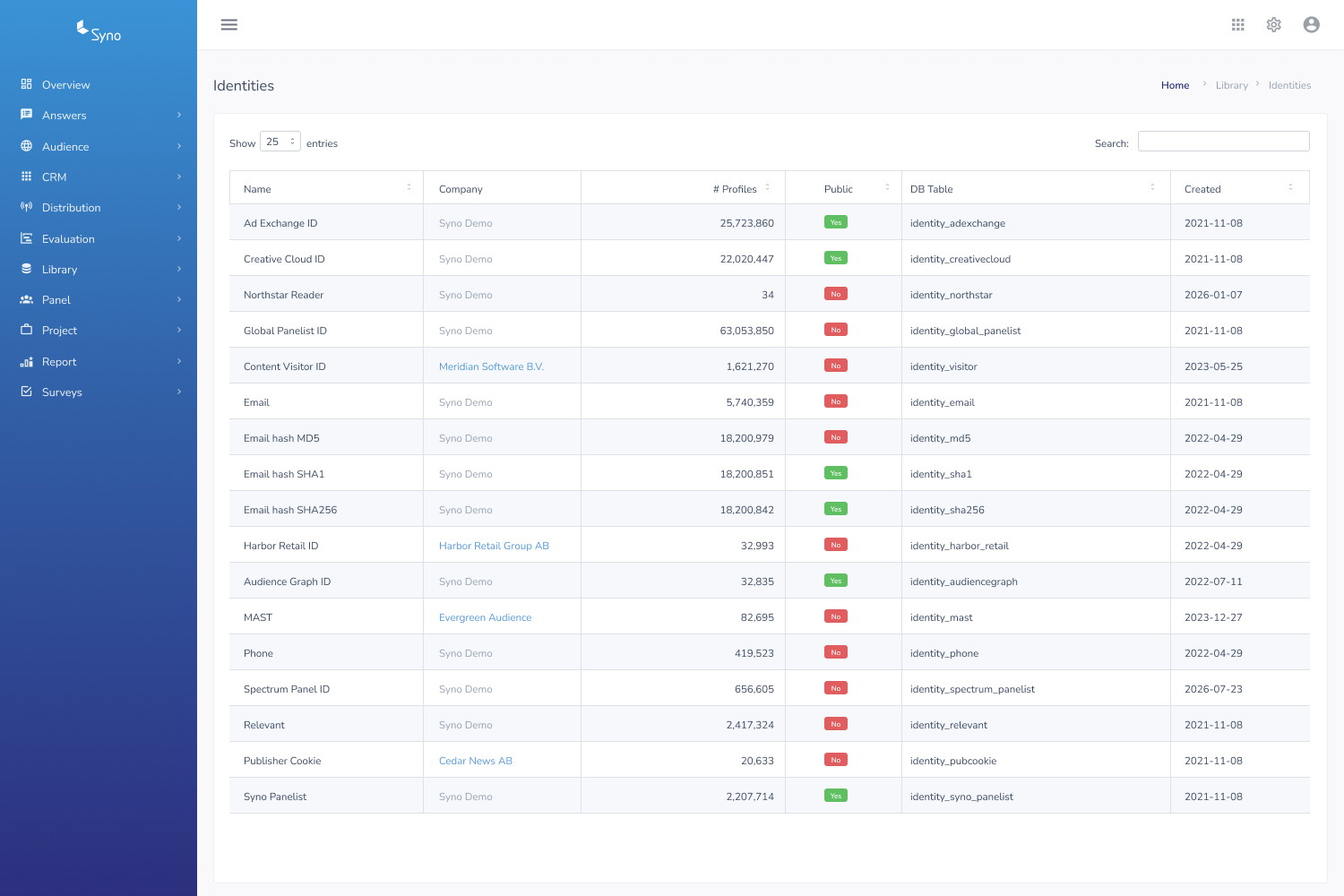
Identities are what let separate sources describe the same person — the layer that turns audience, survey and panel data into one connected profile.
- Connect audience, survey and panel profile data
- Hashed identifiers supported
- Profile counts per identity source
Search, analyze, act
Search
Use our simple & powerful selection and filtering tool to extract selections of consumer profiles from multiple data sources, hundreds of dimensions and thousands of different metrics
Analyze
- Analyze your selection with charts
- Compare distributions in different selections
- Save selected dimensions to re-use them later
Action
- Optimize programmatic advertising targeting
- Collect further consumer data from a desired selection of consumer profiles
- Export to third-party systems such as PowerBI or Google Data Studio for further analysis
One profile, many sources
Connect various data sources such as audience, survey and panel profile data for further processing and analysis.
Survey data
Answers from your Syno surveys, aggregated into data sets that keep themselves up to date.
Audience data
Website and campaign data collected through Syno Audience, matched to known profiles.
Panel profile data
Profiling collected from your panellists, joined up through the identities you maintain.
Start managing your data, professionally.
Syno Library is a great solution for gathering connected data